

In this guide · 10 sections
- 1Six ways to get a song's tone, compared
- 2By ear: slow, free, and the skill behind everything else
- 3YouTube rig rundowns, covers and lessons
- 4Forum threads, interviews and magazine features
- 5Downloadable presets, profiles and captures
- 6Tone matching: translating the original rig to yours
- 7Which one should you use? A decision guide
- 8Where ToneMirror fits
- 9Songs to try it on
- 10FAQ
There is no single best way - it depends on your gear and your goal. Presets are fastest if you own the exact unit they were made for. Videos and forums are good for technique and history but give settings for someone else's rig. Matching by ear teaches the most and takes the longest. For a specific song on your own gear, start from the documented recording rig, translate it to your equipment, then fine-tune by ear.
- Presets and captures work best on the exact unit, pickups and speakers they were made with.
- Rig rundown videos usually show a touring rig, which is often not what was used in the studio.
- Interviews tell you what was used, not where your knobs go - the numbers still need translating.
- Matching by ear is slow, but it trains the skill every other method relies on.
- For a specific song on your rig: start from the record's rig, translate it, and finish by ear.
Six ways to get a song's tone, compared
Every method answers one of two questions: what was used on the record, or how to set one particular rig. A recorded tone is a guitar and pickup, an amp and its settings, a speaker, a microphone and a room, and then a mix. What you need at the end is settings for your rig - so the useful test of any method is how much of that gap it closes.
| Approach | Cost | Time per song | Accuracy on your rig | What you learn |
|---|---|---|---|---|
| By ear | Free | Slow at first, faster with practice | As good as your ear | The most - every other method leans on it |
| Videos: rig rundowns, covers, lessons | Free | Quick to watch, slow to sort out | Low unless your rig matches theirs | Technique, pickup choice, what a pedal does |
| Forum threads | Free | Medium - a lot of reading | Facts about the original, mixed with guesses | History and gear |
| Settings from interviews | Free; some archives are paid | Medium | Accurate about the original, not about your amp | What the player did and why |
| Presets, profiles and captures | Free to paid packs; you need the unit | Fastest | High on the exact unit with similar pickups; low otherwise | Little, unless you open up the blocks |
| Tone matching to your gear | Free by hand; a subscription for a tool | Medium by hand, fast with a tool | Aimed at your rig; finish by ear | Why each setting moves, if you compare with the original |
None of them is the whole answer on its own, and most players end up combining two or three. The sections below cover when each one is the right choice and how to get the most out of it.
By ear: slow, free, and the skill behind everything else
Matching by ear means listening to the record and adjusting until your guitar sounds the same. It costs nothing, it works for any song - including ones nobody has ever documented - and it trains the skill every other method depends on: hearing how much gain, which pickup and what EQ shape.
It is also slow, especially at first, and ears are easy to fool. Volume changes what you hear, the record's layered guitars make one part sound bigger than any single amp, and after twenty minutes of tweaking everything starts to sound the same.
How to do it well
- Listen for four things, in order: the tuning, the pickup (bright and tight, or round and warm), the amount of distortion, and the EQ shape (forward and vocal, or scooped and heavy).
- Find a moment where the guitar is exposed - an intro, a break - and loop it.
- Play along with the record rather than on your own, at the volume you will actually play.
- Record a few bars on your phone and compare. Playback is more honest than your ears in the room.
Best for: training your ear, obscure songs, and finishing whatever method you started with. The pickup positions guide helps you hear which pickup a part is on.
YouTube rig rundowns, covers and lessons
Video is the most popular route, and for some things it is the best one. Watching a player's hands shows you the pickup selector, where they pick, the palm muting and the vibrato in a way no text can. A good lesson gets the part right, which matters more than the tone.
As a source of settings, it is weaker than it looks:
- Rig rundowns usually show a touring rig. Live rigs are built for consistency and volume across a whole set; many records were made on different, often smaller, gear in a studio.
- A cover or tutorial is one player's translation onto their own guitar and amp. Copy their knobs onto different gear and you are translating a translation.
- What you hear has been processed.The guitar went through a mic or DI, a mix, the platform's audio compression and then your phone or laptop speaker. Two videos of the same pedal can sound nothing alike.
Best for: technique, seeing which pickup and which effects a part uses, and hearing roughly what a type of pedal does. Take the knob positions only when your gear matches theirs.
Forum threads, interviews and magazine features
Forum threads
Gear forums are where a lot of tone history was pieced together, often by people who have spent years on one artist. The best threads cite their sources: an interview from the time, a session photo, an engineer's account. The worst repeat a myth with confidence, and a claim can spread through a dozen threads without anyone checking it. Look for primary sources, check whether a claim is about the studio or the stage, and note the era - a band's gear in 1978 and in 1994 are different answers.
Interviews and magazine rig features
An interview with the player, producer or engineer is the most authoritative source on what was used. It still has limits. Memories decades later disagree with each other; a feature photographed on tour describes the tour; and when someone does give knob settings, they are settings for that amp, those pickups and that volume.
See the full rig and settings for “Purple Haze” →
Take the settings listed for “Purple Haze”. They describe a Marshall with no master volume, played loud, where gain and volume are effectively the same knob. Set the same numbers on a master-volume channel at home and you get a very different sound. The numbers tell you the shape - plenty of drive, mids and treble up - not where your knobs go.
Best for: finding out what was actually used. Pair it with a translation step.
Downloadable presets, profiles and captures
If you play a modeler, presets are the fastest route: load a patch named after the song and play. They come in a few kinds:
- Presets for a modeler or modeling amp- a Helix, Katana, Spark or similar - from the maker's library, other players, or paid preset packs. A preset only loads on the platform it was built for.
- Profiles and captures of a real amp, for units built around them such as the Kemper and ToneX: a snapshot of one amp at one setting, often through one cab and mic.
- Impulse responses - a capture of a cabinet and mic rather than a whole tone, loaded alongside an amp model.
When they are the right choice
A well-made preset on the exact unit it was built for, played with pickups like the creator's, through similar speakers or headphones, can be close to finished. If that describes you, start there - it is the quickest good result available.
Where they fall apart
A preset carries none of the things around it: your pickups, your speaker or headphones, your volume, or the unit's global settings. A song preset is also one player's interpretation of the record on their rig, often dialed to sound big on its own, with extra gain and low end. A capture is one setting of one amp - turning a clean capture's gain up gets you an approximation, not that amp cranked. And none of it helps if you play a tube amp and pedals.
The modeler guidewalks through rescuing a preset that doesn't work on your rig, and the modeler pages cover individual units.
Tone matching: translating the original rig to yours
Tone matching starts from what was used on the recording - the guitar and pickup, the amp and its settings, the tuning and the pedals - and rewrites it for the gear you own. It joins the two halves the other methods split: the facts from interviews and research, and settings that work on one specific rig.
You can do it by hand. Find the documented rig, set the tuning and pickup, match the amount of distortion rather than the gain number, rebalance the EQ for your amp's voicing, swap in the closest pedals you own, then fine-tune against the record. The full method is in how to match a guitar tone. The research and the translation are where the time goes, and a tool such as ToneMirror does both.
What it can't do: no method reproduces the room, the microphones or the mix, and when a record's rig was never documented, any translation starts from an informed suggestion rather than a fact. Finishing by ear is still part of the job.
Each of these song pages lists the rig and settings, and what is known about how the record was made:


Which one should you use? A decision guide
Choose by what you own and what you are after:
| If you... | Start with | Then |
|---|---|---|
| Own the exact modeler a song preset was made for, with similar pickups | The preset | Lower the gain, check the cab, set levels at your volume |
| Play a tube or solid-state amp with pedals | Tone matching, by hand or with a tool | Fine-tune by ear against the record |
| Want to know what the artist actually used | Interviews and well-sourced threads | Translate the settings for your gear |
| Need to learn the part itself | A good lesson video | Get the tone separately - the teacher's rig isn't yours |
| Are chasing an obscure song nobody has documented | Your ear | Describe it as tuning, pickup, gain and EQ shape, and build from there |
| Want to get better at tone in general | By ear, checked against documented rigs | Compare your guesses with what was used |
A workflow that combines them
- Check the tuning, the guitar and the pickup the part was played on.
- Get starting settings for your rig - from a translation, or a preset if you own the exact unit.
- Watch a lesson for the technique and any pickup switching.
- Finish by ear, playing along with the record at the volume you will actually play.
Where ToneMirror fits
ToneMirror is a tone-matching tool. Pick a song and enter the guitar or bass, amp or modeler and pedals you own; it starts from what was used on the recording and returns settings for your rig - amp knob positions, the pickup, the tuning, your guitar's volume and tone, and pedal settings in chain order. On modelers such as the Katana, Helix and Spark it lays out the blocks to build, using the unit's real model names where they have been verified and describing the voice to look for where they haven't. When a record's rig was never documented, the song page says so and labels the gear it shows as a suggestion.
ToneMirror itself is a paid subscription, while the tools- amp settings by genre, pedal order and a tuner - are free. It won't replace the final tweak by ear, and it doesn't teach technique, so pair it with a good lesson for that. Try it from the tone matcher, or browse the tone library to see what is documented for a song.
Songs to try it on
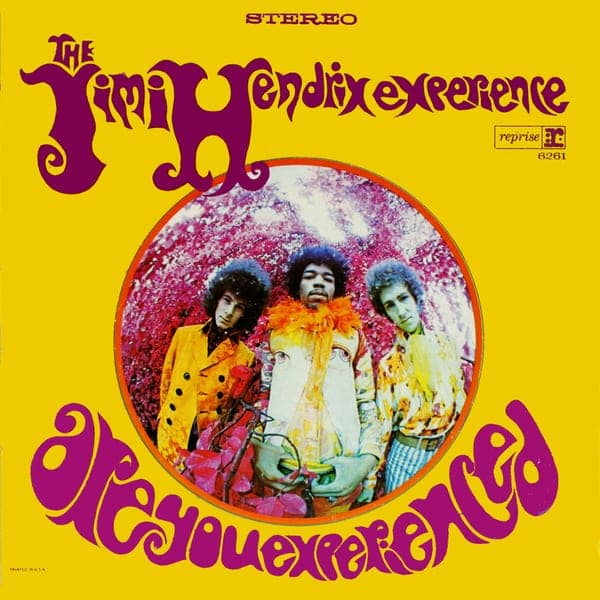
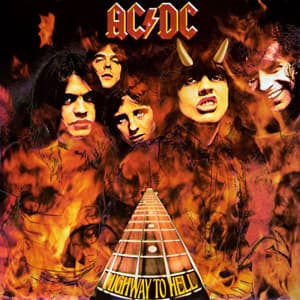
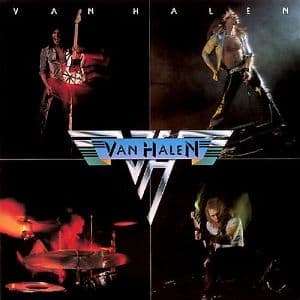
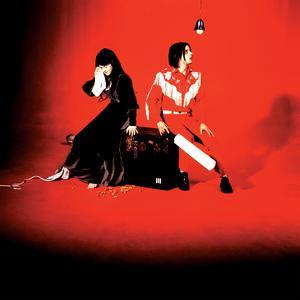
Each of these has its recorded rig and settings on its own page - open one, then get it translated for your gear.


Frequently asked questions
What is the best way to get a song's guitar tone?
It depends on your gear. If you own the exact modeler a good preset was made for, start with the preset. Otherwise, start from what was used on the record, translate the settings for your guitar and amp, and fine-tune by ear while playing along with the song.
Are presets good for getting song tones?
They can be, on the exact unit they were made for, with pickups and speakers like the creator's. On different pickups, through headphones instead of a speaker, or at a different volume, they usually need the gain, cab and EQ adjusted - and a song preset is one player's interpretation of the record.
Why don't the amp settings from YouTube videos work on my amp?
Because they were dialed for someone else's guitar, amp, speaker and volume, and what you hear in the video has been through a mic, a mix and the platform's audio compression. Use videos for technique and pickup choice, and treat the knob positions as a description of the shape, not a setting.
Are rig rundown videos accurate for recorded tones?
They are accurate about the rig shown, which is usually the touring rig. Many records were made on different gear in the studio, so check interviews from the time of the recording before assuming the live rig made the album.
Is it better to learn guitar tone by ear?
Ear training is the skill behind every method, so it is worth doing - but it is slow, and volume and the record's layered guitars make ears easy to fool. A practical middle ground is to start from documented settings and finish by ear, comparing your result with the record.
Is there an app that matches a song's guitar tone to my own gear?
Yes - ToneMirror. Pick a song from its catalog, enter the guitar or bass, amp or modeler and pedals you own, and it returns amp, pickup, tuning and pedal settings translated for your rig, starting from what was used on the recording.