For Boss Katana owners
Any song's tone, set up on your Boss Katana.
The Katana has no named amp models - it has amp types (Clean, Crunch, Lead, Brown, and Pushed on Gen 3), each with a Variation voice, plus Booster, Mod, FX, Delay and Reverb sections. ToneMirror picks the type whose voice is closest to the amp on the record and gives you Gain, Volume, Bass, Middle and Treble for it, with each effect section set for the song.
Your Boss Katana is already filled in - just add your guitar.
- Amp type?
- Gain?
- Bass?
- Middle?
- Treble?
- Effects, in order?
Filled in for your Boss Katana, the guitar you play it with, and the song you pick.
How ToneMirror sets up a song on your Boss Katana
- 1
Tell it your rig
Your Boss Katana, the guitar or bass you play through it, and any pedals in front.
- 2
Pick the song
Any of the recorded guitar and bass tones in the library, each researched from how the record was made.
- 3
Get the Boss Katana settings
The amp type, Gain, EQ and level for your Boss Katana, the pickup and tuning, and each effect in signal order.
Getting recorded tones out of a Boss Katana
- Pick the amp type by the record's amount of drive, not its brand: a cranked Plexi record usually lands on Crunch, an 80s high-gain record on Brown or Lead.
- The Booster section is where an overdrive-in-front sound comes from - use it rather than adding gain on the amp for tight rhythm parts.
- Use Power Control to get power-amp feel at home volume, then set the EQ at the level you will actually play.
The full method - choosing the amp by family, block order, gain staging and volume - is in how to dial in song tones on a modeler.
Every Boss Katana amp type
The 6 types ToneMirror chooses from for a Boss Katana, checked against the manufacturer's documentation. Use the names exactly as they appear on your unit.
| On your Boss Katana | What it is |
|---|---|
| Clean | pristine full-range platform; takes external pedals well |
| Crunch | fat, picking-sensitive mid-gain drive, classic British character |
| Lead | thick, saturated high-gain voicing for solos and cutting lines |
| Brown | EVH-style modded-Marshall high gain |
| Pushed | edge-of-breakup at lower volume (Gen 3 amps only) |
| Acoustic | clean, neutral voicing for acoustic/electric (on the Air EX this doubles as the bass setting) |
Songs Boss Katana players are matching
Open any song for the rig and settings on the record, then get them for your Boss Katana.
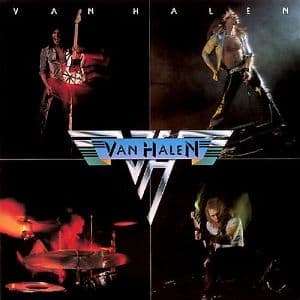
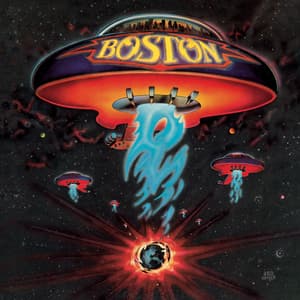
Boss Katana models in the catalog
- Boss Katana 100 MkII
- Boss Katana 50 MkII
- Boss Katana 100 Gen 3
- Boss Katana Air
- Boss Katana-50 Gen 3
- Boss Katana 100 MkII Head
- Boss Katana Artist MkII
- Boss Katana Artist Gen 3
- Boss Katana Head Gen 3
- Boss Katana-Mini
- Boss Katana-Mini X
- Boss Katana:GO
- Boss Katana Air EX
- Boss Katana-100/212 Gen 3
- Boss Katana-50 EX Gen 3
- Boss Katana-Artist Head MkII
- Boss Katana-Head (MkI)
- Boss Katana-100/212 MkII
Boss Katana settings - FAQ
How do I get a song's tone on my Boss Katana?
Start from what the record used - the amp, how much gain, the pickup and the effects - then pick the amp type closest to that amp and set the gain by ear, not by the original's knob numbers. ToneMirror does this for you: pick a song, tell it you play a Boss Katana and which guitar, and it returns the Boss Katana settings for that song.
Does ToneMirror use the real Boss Katana model names?
Yes. ToneMirror uses the Boss Katana's own 6 amp types and the control names on the unit, so every setting is one you can find on your panel.
Which Boss Katana models does it work with?
Boss Katana 100 MkII, Boss Katana 50 MkII, Boss Katana 100 Gen 3, Boss Katana Air, Boss Katana-50 Gen 3, Boss Katana 100 MkII Head, Boss Katana Artist MkII, Boss Katana Artist Gen 3 and more. Each gets settings for its own controls.
Can I download Boss Katana presets for songs?
Downloaded presets were made on someone else's guitar and pickups, which is why they often sound wrong on yours. ToneMirror gives you the settings to dial in on your own Boss Katana for the guitar you actually play - save the result as your own preset.
Do I need pedals with a Boss Katana?
No. ToneMirror builds the song from the Boss Katana's own effects. If you do run pedals in front of it, add them to your rig and it will use them too, in the right order.