



In this guide · 9 sections
- 1What a compressor actually does
- 2The knobs on a compressor pedal: sustain, level, attack, tone and blend
- 3Where the compressor goes: first, or after the drive
- 4Compressor settings for country, funk, clean arpeggios and solos
- 5Compressor settings for bass
- 6How to tell you have over-compressed
- 7The shortcut: compressor settings for a specific song
- 8Songs to try it on
- 9FAQ
A compressor pedal evens out your playing: it turns down notes that go over a set level, and its level knob brings the overall volume back up, so quiet and loud notes sit closer together and notes sustain longer. Start with the sustain at 10 o'clock to noon, the attack medium to slow so your pick attack comes through, and the level at unity. Put it first in the chain, after the tuner and before any drive.
- Compression turns loud notes down and brings the whole signal back up, so your playing sounds even and sustains longer.
- On a two-knob pedal, the sustain (or sensitivity) knob sets how hard it squashes and the level knob sets the output.
- A slower attack keeps the pick snap; a fast attack flattens it.
- Put it before the drives for clean playing; after a drive it adds sustain - and noise.
- If notes swell after you pick them, or hiss rises as they fade, you have over-compressed.
What a compressor actually does
A compressor is an automatic volume knob. When your signal gets louder than a set point, it turns it down; then a level control raises the whole thing back up. Loud notes come down, quiet ones come up relative to them, and a note that would have faded keeps ringing longer. That is the sustain compressor pedals are sold on.
Guitar needs it more than you might think. A clean note has a sharp spike at the pick and then decays quickly, so chords and single notes jump around in level. The clean tone guide explains why nearly every clean guitar on a record has been compressed somewhere along the way. Four ideas describe every compressor, from a two-knob pedal to a studio rack unit:
| Term | What it means | What you hear |
|---|---|---|
| Threshold | The level above which the compressor starts working | Lower it and more of your notes get squashed |
| Ratio | How hard it turns down what goes over - at 4:1, a note 4 dB over comes out 1 dB over | Higher ratios sound flatter, more even and less dynamic |
| Attack | How quickly it clamps down once a note goes over | Fast flattens the pick attack; slow lets the snap through first |
| Release | How quickly it lets go once the note drops back | Too fast pumps and breathes; too slow holds down the next note |
The fifth control is makeup gain - the level or output knob - which brings the squashed signal back up to the volume it had before. The tone glossary defines the rest of the terms you will meet on pedal boxes and plugins.
The knobs on a compressor pedal: sustain, level, attack, tone and blend
Few pedals label threshold and ratio. Here is how the knobs they do have map onto them:
- Sustain, Sensitivity or Compression sets how hard the pedal squashes - threshold and ratio rolled into one knob. The MXR Dyna Comp calls it Sensitivity; the Ross calls it Sustain.
- Level, Output or Volume is the makeup gain. Set it so the pedal is the same volume on and off.
- Attack, where there is one, sets how much of the pick transient gets through before the pedal clamps down. Check which way is slower on yours - some pedals label the knob by the sound rather than the time.
- Tone adds back the brightness compression can take away.
- Blend or Mix mixes your uncompressed signal back in, known as parallel compression. It is the easiest way to get sustain without losing your pick attack; start around 50 percent.
Why two compressors at the same settings sound different
The circuit inside sets the feel. OTA compressors such as the Dyna Comp and the Ross squash hard, with a percussive pop on the attack - the classic country and funk sound. VCA designs are cleaner and more transparent. Optical compressors react slowly and smoothly, which suits clean parts and leads. FET compressors modelled on the studio 1176 are fast and punchy.
- 1MXR Dyna Comp118 tones
- 2Boss CS-3 Compression Sustainer15 tones
- 3SoloDallas Schaffer Replica Storm13 tones
- 4Boss CS-2 Compression Sustainer12 tones
- 5Origin Effects Cali76 Compact12 tones
- 6Ross Compressor9 tones
- 7Keeley 4-Knob Compressor7 tones
- 8Keeley Bassist Limiting Amplifier4 tones
The Dyna Comp is credited on far more records than any other compressor, which tells you how much of the classic compressed-guitar sound is that squashy OTA character. Near the top you will also see a replica of the Schaffer-Vega wireless system: Angus Young used the original in the studio from the late seventies, and its compander circuit added a light squeeze and boost in front of his Marshalls.
Where the compressor goes: first, or after the drive
First in the chain: the default
Right after the tuner, a compressor sees your raw dynamics, evens them out and hands the rest of the board a consistent signal. Clean parts get even, and drives after it respond more consistently from note to note. This is where it goes for country, funk and most clean playing.
The exception is a vintage-style fuzz, which wants to see the guitar directly - the fuzz settings guide explains why. Put the fuzz first and the compressor after it.
After the drive
A drive has already compressed your signal, so a compressor after it has less to do. It still does two useful things: it evens out the volume between a light crunch and a heavy one, and it adds sustain to leads. The cost is noise, because it raises the hiss the drive makes as each note fades. Keep the sustain low and the attack slow here. The pedal order guide covers the rest of the board.
Compressor settings for country, funk, clean arpeggios and solos
| Style | Sustain | Attack | Level | Listen for |
|---|---|---|---|---|
| Country chicken pickin' | Noon to 2 o'clock | Medium | Unity or just above | A clucky pop on each plucked note, then sustain |
| Funk rhythm | 9 to 11 o'clock | Slow | Unity | Even 16th notes with the snap intact |
| Clean arpeggios | 11 o'clock to 1 o'clock | Medium to slow | Unity | Every string at the same level, open notes ringing |
| Solos and leads | 1 to 3 o'clock | Medium | Unity | Notes and bends that hold instead of dying |
Country and chicken pickin'
Compression is half the chicken-pickin' sound. Hybrid-picked, half-muted notes on a Telecaster's bridge pickup give a percussive cluck, and the compressor turns it into an even, popping attack with sustain behind it. An OTA pedal in the Dyna Comp mold is the classic choice. If yours has a blend, leave some dry signal in so the pop stays sharp, and run it into a clean amp with headroom and a slapback delay after it. The country tone guide covers the rest.
Funk rhythm
Funk wants evenness without losing the snap. Keep the sustain low, the attack slow so the front of each 16th note comes through, and the level at unity. Too much and the chops go soft and lose their percussive edge - see the funk tone guide for the pickup, amp and technique side.
Clean arpeggios
On ringing arpeggios and jangly chords, compression keeps every string at the same level and lets open notes overlap. Use medium sustain, a medium-to-slow attack and a slower release if your pedal has one, then put chorus or reverb after it.
Solos
For leads, compression trades dynamics for sustain. A compressor at higher sustain in front of an overdrive turns a clean amp into a lead tone that holds a bend. David Gilmour's MXR Dyna Comp, run with his fuzz on the late-seventies Pink Floyd records, is the classic example, and Trey Anastasio of Phish has kept a Ross compressor at the front of his rig for decades. Watch the noise between phrases.
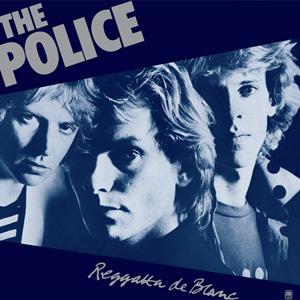
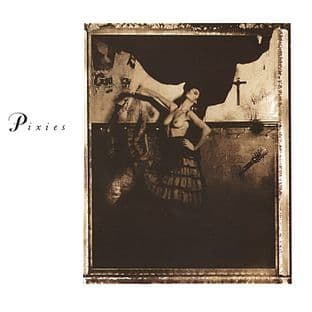
These records lean on compression in different ways - disco and R&B rhythm, Nashville leads, clean new wave chords and an alternative-rock lead figure. Each tone page lists the compressor and the rest of the chain:

Compressor settings for bass
Bass is where a compressor earns its place most often. Open strings boom, notes high on the neck drop away and slaps spike, so an uncompressed bass jumps in and out of the mix.
- Use a pedal made for bass, or one with a blend. Many guitar compressors are voiced for guitar and can thin out the lows; a blend keeps your clean low end underneath.
- Ratio around 3:1 to 4:1 for fingerstyle and pick, higher for slap. Aim for a few decibels of gain reduction on the loudest notes, not constant squashing.
- Attack medium, so the front edge of each note comes through and the bass keeps its punch. For slap, go faster so the pops don't jump out.
- First in the chain, before any bass drive, so the drive sees an even signal.
The bass tone guide has starting points by style, and the slap bass guide covers compression for even pops.
How to tell you have over-compressed
Too much compression is easy to miss on your own and obvious in a band or on a recording. These are the signs:
- Notes swell after you pick them - a soft pick, then the volume blooms up.
- Hiss rises as notes fade. The compressor is bringing up the noise floor along with the tail of the note, often called breathing.
- Digging in does nothing. Every note comes out at one volume, and the part feels lifeless under your hands.
- The pick attack is gone, and funk chops or country licks turn mushy.
- The guitar is louder alone but smaller in the band, because the peaks that helped it cut through have been flattened.
A setup routine that avoids it
- Start with the sustain at minimum and the level at unity.
- Play the part and raise the sustain until you hear the notes even out, then back off a notch.
- Adjust the attack until the pick snap comes back.
- Re-match the level to the bypassed volume and check it with a record or the band playing.
The shortcut: compressor settings for a specific song
Compression is the hardest effect to hear on a record, which makes it the easiest one to leave out when you copy a tone - and on plenty of records it came from the studio rather than a pedal. ToneMirror's tone pages list the compressor documented on a recording, along with effects documented with no pedal behind them, such as compression added in the studio. Enter the guitar, amp and pedals you own and it returns settings for your compressor and the rest of your chain in signal order, with the amp knobs, pickup and tuning.
If the song used a compressor and you don't own one, it says so and names the kind of pedal that covers it. Start from the tone matcher, or browse the tone library.
Songs to try it on
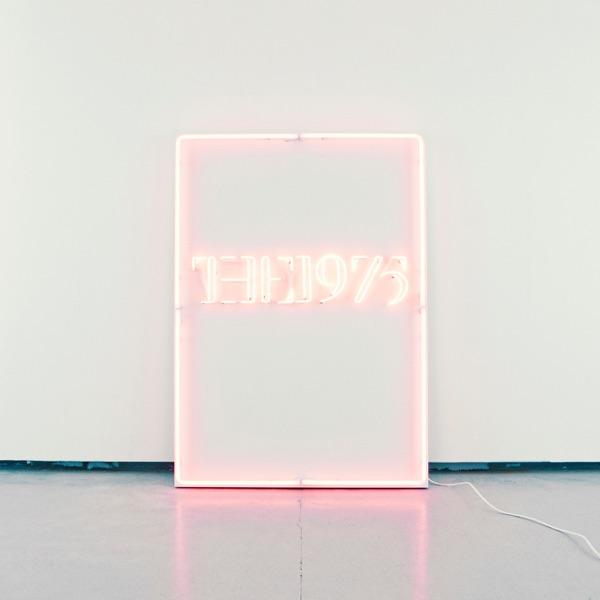
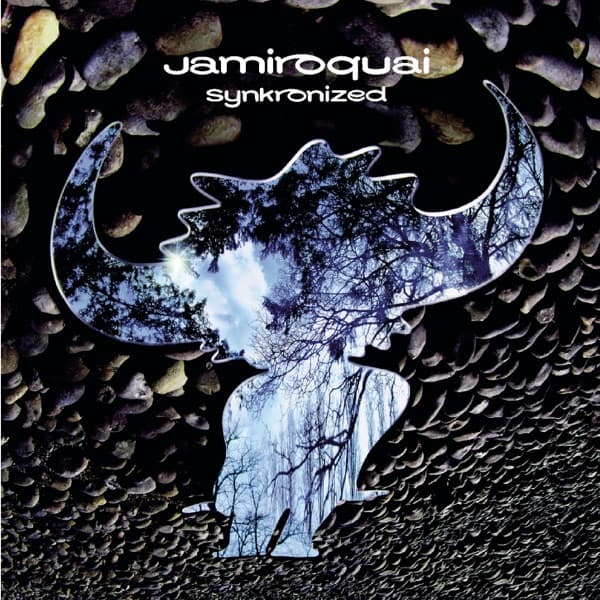
Each of these has its recorded rig and settings on its own page - open one, then get it translated for your gear.




Frequently asked questions
What does a compressor pedal do for guitar?
It evens out your volume. Notes above a set level are turned down and the whole signal is turned back up, so quiet and loud notes sit closer together, chords sound more even, and notes sustain longer. On clean parts it gives the polished, consistent sound of a recorded guitar.
What are good starting settings for a compressor pedal?
Set the sustain at 10 o'clock to noon, the attack medium to slow so your pick attack comes through, the level at unity, and the blend around 50 percent if your pedal has one. Then raise the sustain until the notes even out and back it off a notch.
Should a compressor go before or after overdrive?
Before, in most cases. In front of the drives it evens out your playing and the drives respond more consistently. After a drive it adds sustain and evens out the volume between sounds, but it also raises the noise the drive makes, so keep the sustain low there.
What attack setting should I use on a compressor?
Medium to slow for most guitar playing, so the pick attack gets through before the compressor clamps down. A fast attack flattens the front of each note, which can sound smooth on leads but takes the snap out of funk and country parts.
Can I use a guitar compressor on bass?
Yes, but many guitar compressors are voiced for guitar and can thin out the low end. A bass compressor, or any compressor with a blend control that keeps your clean signal underneath, usually works better. Aim for a few decibels of gain reduction on the loudest notes rather than constant squashing.
Is there an app that shows which compressor a song used and how to set mine?
ToneMirror does this. Its tone pages list the compressor and other pedals documented on each recording, and the tone matcher returns settings for your own compressor, other pedals and amp in chain order once you enter the gear you own.