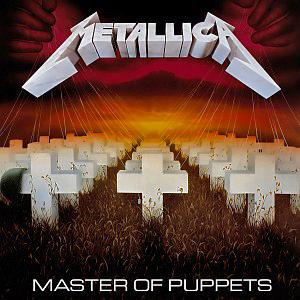
How to Dial In "Master of Puppets" by Metallica - Guitar Tone Settings
The Gear Behind "Master of Puppets"
Original Knob Positions, Pickup, and Tuning
Where to set the knobs for this tone. Each value is on the standard 0–10 amp scale.
These numbers are for a Mark IIC+. On your amp, they won't sound the same.
Get the settings for my ampHow the artist had their guitar configured for this take.
Hetfield's ESP Explorer into Mesa Mark IIC+. Quad-tracked rhythms, scooped mids, palm-muted downstrokes throughout; the canonical 'thrash mids-out' EQ shape. Recorded in E standard — the half-step-down version is a later live practice, not the record.
Common Questions About the "Master of Puppets" Tone
What guitar did Metallica use on "Master of Puppets"?
Metallica tracked "Master of Puppets" on a Gibson Explorer (released 1986). Pickup selector: bridge pickup on the guitar. Tuned to standard (E A D G B E).
What amp settings does "Master of Puppets" need?
On a Mark IIC+: Gain 8, Bass 6, Mid 4, Treble 6, Presence 7, Volume 7. Each value is on the standard 0–10 amp scale; match them on your amp first, then nudge to taste. ToneMirror can translate these positions for whatever amp you actually own.
Can I play "Master of Puppets" without a Mark IIC+?
Yes. ToneMirror takes the original recipe above and adapts it to your guitar, amp, and pedals - so you can chase the "Master of Puppets" tone on a Katana, a Helix, a tube combo, or anything else. The translation accounts for EQ curve, gain structure, and pickup type so the result actually sounds like the record, not just the same knob numbers on different gear.
More Tones You Can Dial In
Tone references for "Master of Puppets" by Metallica are provided for educational use. ToneMirror is not affiliated with the artists or labels referenced.