




In this guide · 10 sections
- 1What time, feedback and mix actually do
- 2Analog vs digital vs tape delay
- 3How to sync delay time to a song's tempo (60,000 / BPM)
- 4Delay settings for slapback, dotted eighths, solos and ambient
- 5Delay in front of the amp or in the effects loop
- 6Trails, stacking two delays and common mistakes
- 7The delay pedals on the records
- 8The shortcut: delay settings for a specific song
- 9Songs to try it on
- 10FAQ
To set a delay pedal, start with the mix low, around 20-30%, then set the time and feedback for the job: 80-140ms and a single repeat for slapback, a dotted eighth with two to four repeats for rhythmic parts, 350-550ms with a few repeats for solos, and long times with high feedback for ambient swells. Sync rhythmic delays to the song with 60,000 / BPM or tap tempo, and keep the repeats quieter than you think.
- Time sets the gap between repeats, feedback sets how many there are, and mix sets how loud they are.
- A quarter note in milliseconds is 60,000 divided by the song's BPM; a dotted eighth is three quarters of that.
- Slapback is one short, unsynced repeat; dotted-eighth parts fall apart unless the time is exact.
- Analog repeats darken and sit behind you, digital repeats are exact copies, tape adds wobble and grit.
- If your amp's preamp makes the distortion, put the delay in the effects loop so the repeats stay clean.
What time, feedback and mix actually do
A delay pedal plays back what you play a moment later. Three controls do almost all the work, and most bad delay sounds come from setting them in the wrong order.
Time
The gap between your note and its echo, in milliseconds. Under about 50ms the repeat fuses with the note and sounds like a doubled part. Between 80 and 140ms you get the short bounce of rockabilly and country slapback. Around 300-550ms the echo reads as a distinct repeat, and past 600ms the repeats become a second part. Some compact pedals split the range with a short/medium/long switch, so check which range you are in before you turn the knob.
Feedback
Also labeled repeats, regen or intensity: how much of the echo is fed back in to be echoed again. All the way down gives one repeat, around noon gives a handful of fading repeats, and higher settings give long trails. Near the top, many analog and tape units build on themselves into a howl - fun to play with, and the reason feedback needs a ceiling on a gig setting.
Mix
Also labeled level, blend or E.level: how loud the repeats are against your dry signal. Start around 20-30%. Parts where the echo is part of the riff go toward 40-50%; parts where it only adds space go lower. Noon on one pedal can be far wetter than noon on another, so set it by ear, not by the knob position.
Everything else
- Tone or filter darkens the repeats so they stay out of the way of the notes you are playing.
- Modulation adds a slight wobble to the repeats, like a worn tape machine. A little widens a lead; a lot makes it seasick.
- Subdivision or mode switches pick a note value for tap tempo, or a voicing such as analog, tape or reverse.
Analog vs digital vs tape delay
What differs between delay types is what happens to each repeat on its way back - and that decides whether the echoes sit behind your playing or compete with it.
| Type | How the repeats sound | Delay time | Best for |
|---|---|---|---|
| Analog (bucket brigade) | Darker and softer with every repeat | Classic designs top out around 300-600ms | Solos, slapback, warm rhythm echoes |
| Digital | Clean, exact copies with full treble | A second or more | Dotted eighths, long ambient times, tap tempo |
| Tape and drum echoes | Warm and saturated, with a slight pitch wobble | Set by tape speed and head spacing | Slapback, 60s and 70s echo, multi-head rhythms |
| Modeling digital | Analog, tape and studio voicings in one box | Varies | Covering many different records with one pedal |
Analog
An analog delay passes your signal along a chain of tiny capacitors inside a bucket-brigade chip, losing a little top end on every trip. Each repeat is darker than the one before, so the echoes melt behind the dry note instead of cluttering it - which is why analog delay is so forgiving on solos and dirty tones.
Digital
A digital delay stores an exact copy, so the tenth repeat sounds like the first. That precision is what a dotted-eighth rhythm part needs, along with long times and tap tempo. The catch is that bright, full-range repeats can fight the note you are playing, especially with distortion - roll back the tone or the mix.
Tape
Tape echoes like the Maestro Echoplex and Roland Space Echo record onto a loop of tape and play it back from one or more heads, adding wow, flutter and saturation. Change the time while notes are still repeating and their pitch warps - a sound plenty of records use on purpose. Multi-head units, including the Binson Echorec (a magnetic drum rather than tape), play several repeats at different times at once: the cascading echo of Hank Marvin with The Shadows and of David Gilmour's 1970s Pink Floyd parts. Most players now get this from a tape-voiced digital pedal.
To cover the most records with one delay, pick a digital pedal with tap tempo and an analog or tape voicing. The tone glossary defines any unfamiliar labels on the box.
How to sync delay time to a song's tempo (60,000 / BPM)
A rhythmic delay only works when the repeats land on the song's grid. A dotted-eighth part set 30ms off does not sound slightly wrong - it sounds like you cannot play in time.
A quarter note in milliseconds is 60,000 divided by the BPM. A minute has 60,000 milliseconds, and the BPM tells you how many quarter notes fit into it. Every other note value is a multiple of that quarter note.
| Note value | Quarter note x | At 120 BPM | At 100 BPM |
|---|---|---|---|
| Quarter note | 1 | 500ms | 600ms |
| Dotted eighth | 0.75 | 375ms | 450ms |
| Eighth-note triplet | 0.667 | 333ms | 400ms |
| Eighth note | 0.5 | 250ms | 300ms |
| Sixteenth note | 0.25 | 125ms | 150ms |
| Dotted quarter | 1.5 | 750ms | 900ms |
| Half note | 2 | 1,000ms | 1,200ms |
Tap tempo
Tap along with the beat three or four times and the pedal measures the gap. Most pedals expect quarter-note taps, and a subdivision switch turns them into dotted eighths or triplets, so you tap with the kick and snare and still get the pattern. Tap again if the band drifts; many players tap during the count-in. A metronome is the easiest way to practice tapping evenly.
When not to sync
Slapback is never synced - a fixed short time works at any tempo. Solo and ambient delays often sound better slightly off the grid, where repeats blur into space instead of adding a rhythm that fights the drums.
Delay settings for slapback, dotted eighths, solos and ambient
| Style | Time | Repeats | Mix | Listen for |
|---|---|---|---|---|
| Slapback | 80-140ms | One | 20-35% | A single bounce right behind each note |
| Dotted eighth | Quarter note x 0.75 | 2-4 | 35-50% | Straight eighths that sound like sixteenths |
| Solo delay | 350-550ms or a quarter note | 2-4 | 15-30% | Echoes filling the gaps between phrases |
| Ambient | 500ms-1s and up | Many | 25-40% | A wash that sustains under volume swells |
| Rhythmic eighths | Eighth note, synced | 1-3 | 30-45% | Repeats that lock with the hi-hat |
| Doubling | 25-50ms | One | 30-50% | A thicker, wider single part |
Slapback
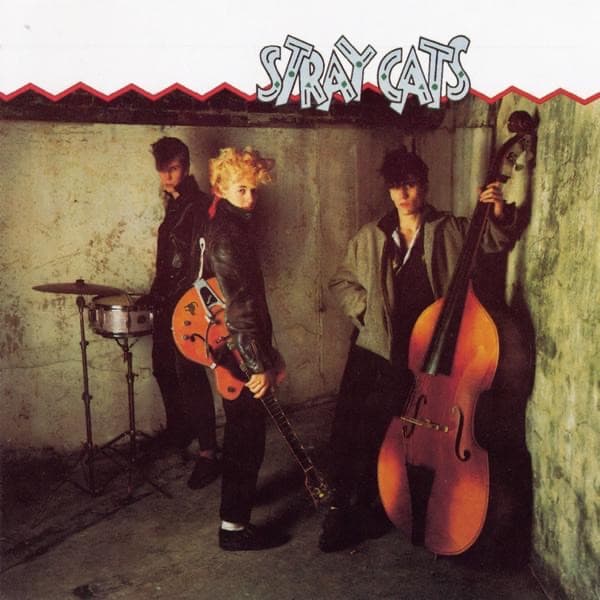
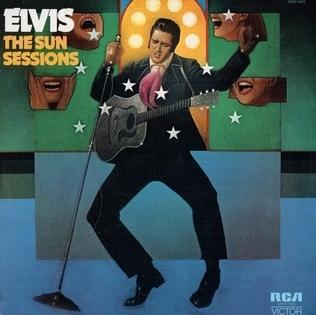
One short repeat, almost no feedback, mix around a quarter of the dry level. It is the bounce on Elvis Presley's Sun singles, where the echo came from Sam Phillips' tape machines, and on Brian Setzer's rockabilly with the Stray Cats. If you hear two distinct notes, the time is too long or the mix too high.
Dotted eighth
Play straight eighth notes and a repeat a dotted eighth later falls between them, so every note you pick becomes a sixteenth-note pattern. It is The Edge's signature on U2's “Where the Streets Have No Name”, and David Gilmour drives “Run Like Hell” with the same idea. The time must match the song exactly, the mix runs high because the repeat is half the riff, and short, muted picking keeps the pattern clear.
Solo delay
For leads, set two to four repeats around 350-550ms - or a synced quarter note - with the mix low enough that the echo fills the space after a phrase rather than smearing the next one. Darker repeats help, and Gilmour's solos on “Time” and “Comfortably Numb” are the reference. Some pedals duck the repeats while you play and bring them up in the gaps, which does the same job for you.
Ambient and multi-tap
Long times, feedback past noon, modulation on the repeats and a reverb after the delay give the sustained wash of post-rock and worship guitar, especially with volume swells from your guitar's volume knob. Rhythm can be the point too: on “Brighton Rock” Brian May set his echo so the repeats harmonize with the lines he plays over them.


Delay in front of the amp or in the effects loop
Delay belongs after anything that distorts, so the repeats are copies of your finished tone rather than echoes that get distorted again. Where that is on your rig depends on where your gain comes from - the pedal order guide covers the full chain.
- Clean amp, drive from pedals: the delay goes at the end of the board, after the drives, in front of the amp.
- Amp with a distorted preamp: put the delay in the effects loop. In front of a dirty preamp, every repeat gets distorted and the echoes pile into a smear.
- Cranked vintage amp with no loop:much of its drive comes from the power tubes, so echo in front of it is the classic sound - Brian May's tape echo into a Vox AC30 is the textbook case. Keep the mix lower and the repeats darker, because the amp compresses and boosts them.
Series and parallel loops
A series loop sends your whole signal through the delay, so the pedal's own mix knob works as usual. A parallel loop blends the pedal back in with a mix control on the amp, so the delay should run fully wet (often called kill dry). Otherwise you hear the dry signal twice, and any latency between the two copies thins the tone. If the repeats crackle in the loop, it is probably running hotter than the pedal expects - look for a send level control.
Trails, stacking two delays and common mistakes
Trails
Switch off a true-bypass delay and the repeats stop dead, like a tape edit at the end of a phrase. A trails setting lets them fade naturally after the pedal is off - turn it on if you kick the delay off between sections. On modelers the same idea is called spillover, and it matters when you change presets mid-song.
Two delays
Two delays in a row multiply the repeats into a pattern. A short slap ahead of a synced dotted eighth thickens every note, and a dotted eighth paired with a quarter note gives a busy, cascading texture. Keep both mixes lower than you would for either alone.
Mistakes that make delay sound amateur
- Mix too high. The echo buries your attack. Set it with a backing track playing, not alone.
- An unsynced rhythmic delay. Close is not close enough for dotted eighths.
- Bright repeats on a high-gain tone. They add fizz - darken them.
- Too many repeats in a fast song. Two already fill the gaps.
The delay pedals on the records
The delays credited on the most recorded songs are not exotic. A plain Boss digital compact and Electro-Harmonix's analog Deluxe Memory Man lead the list, followed by MXR's Carbon Copy - pedals with little more than time, feedback and level knobs. What makes the records is the setting, not the box.
- 1Boss DD-3 Digital Delay819 tones
- 2Electro-Harmonix Deluxe Memory Man516 tones
- 3MXR Carbon Copy Analog Delay173 tones
- 4Boss DD-7 Digital Delay70 tones
- 5Line 6 DL4 Delay Modeler66 tones
- 6Strymon Timeline57 tones
- 7Boss DD-2 Digital Delay56 tones
- 8Boss DM-2 Analog Delay30 tones
Plenty of recorded echo came from studio tape machines rather than a pedal, so a song can need delay even when no delay pedal is credited - ToneMirror's tone pages list those effects separately.
The shortcut: delay settings for a specific song
The tables above get you into the right range. Matching a particular record means knowing how much echo is on it and how that translates to the delay you own. ToneMirror does that per song: pick the track, enter your guitar, amp and pedals, and it returns settings for your delay alongside your amp knobs, pickup and tuning, in signal-chain order.
If the record has an echo your rig cannot make, it tells you rather than pretending the song is dry, and names the kind of pedal that would cover it. On a modeler such as a Katana, Helix or Spark it lays out the delay block with the rest of the chain - see ToneMirror for modelers. Start from the tone matcher, or find the song in the tone library.
Songs to try it on
Each of these has its recorded rig and settings on its own page - open one, then get it translated for your gear.




Frequently asked questions
What is a good all-purpose delay setting?
Mix around 20-25%, time around 350-450ms, and feedback low enough for two or three repeats. That suits most leads and is easy to hear without cluttering the part. For rhythm parts, sync the time to the song's tempo instead.
How do I work out delay time from BPM?
Divide 60,000 by the BPM to get a quarter note in milliseconds, then multiply by 0.75 for a dotted eighth, 0.5 for an eighth note or 0.667 for an eighth-note triplet. At 120 BPM that gives 500ms, 375ms, 250ms and 333ms. ToneMirror's free delay calculator does it for every note value and has tap tempo.
What are good dotted eighth delay settings?
Set the time to three quarters of a quarter note (375ms at 120 BPM), feedback for two to four repeats, and the mix at 35-50%, since the repeat is part of the riff. Play straight, muted eighth notes and the repeats fill in the sixteenths between them. Use tap tempo with a dotted-eighth subdivision if your pedal has one.
Should delay go before or after distortion?
After, in almost every case, so the repeats are clean copies of your distorted tone. If your amp's preamp makes the distortion, that means putting the delay in the amp's effects loop. The exception is a cranked vintage amp with no loop, where echo in front of the amp is the classic sound.
Is analog or digital delay better?
Neither - they do different jobs. Analog repeats darken as they fade, which suits solos and dirty tones. Digital repeats are exact and can be very long, which suits dotted-eighth rhythms and ambient parts. Many digital pedals now include an analog voicing, which covers both.
Is there an app that gives me the delay settings for a song?
Yes. ToneMirror takes a song and the gear you own and returns settings for your delay and other pedals in signal-chain order, along with amp knobs, pickup and tuning. If the record has an echo your rig cannot make, it says what kind of pedal would cover it.